Terminal UI: a design system for the keyboard crowd
Terminal UI explained: monospace hierarchy, command patterns, semantic status colors. Generate the dark command-line style with a ChromaBrew preset.
The interface as a console
Terminal UI borrows the vital signs of a command prompt: monospace text everywhere, a command field you could actually run, process logs and metrics, and a strict set of semantic status colors for success, warning and error. It signals precision and developer-friendliness — DevOps consoles, release dashboards and deploy tools use it to say 'this is real machinery'.
Recognize it by monospace hierarchy and restraint: a dark near-black surface, a single luminous accent reserved for the command and key metrics, status colors doing exactly their jobs, and a keyboard-first flow that treats the mouse as optional. The charm is discipline — a terminal UI with decorative flourishes stops being a terminal.
The appeal runs deeper than nostalgia: the VT100 and the modern distributed build speak the same visual language, and the terminal is one interface nearly every developer has spent tens of thousands of hours inside. Leaning on that familiarity honestly makes a terminal-styled product feel fast and trustworthy from the first load — even when the UI behind it is an ordinary web app.
How to recognize it
Real terminal UI is a system of habits, and four of them identify it immediately:
- Monospace throughout — headings and body share one fixed-width family; hierarchy comes from weight and brightness, not typeface swaps
- A command field — one element feels runnable, and logs or metrics stream nearby like a live session
- Semantic status colors — success, warning, error and info are fixed tokens with fixed meanings
- A single luminous accent — one bright hue for the prompt and the numbers that matter; everything else stays near-white or near-black
The terminal UI preset
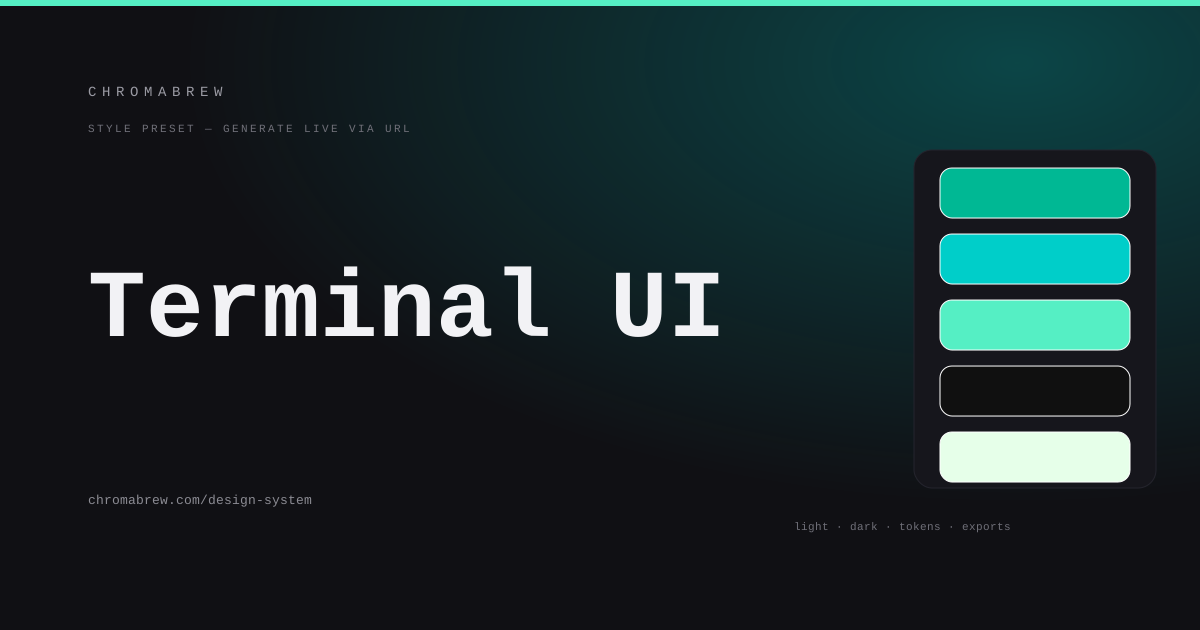
The preset pairs a phosphor teal-green with a cyan for the live-command accent, stays monochromatic so every hue already agrees, uses sharp radius to echo hard-edged console chrome, and — the crucial piece — sets the dark background to solid black rather than tinted, the way real emulators sit.
Why solid black and not tinted? Terminals show black as black — it is the color of the screen being off — and users of this style notice the difference even when they can't name it. Tinted backgrounds read as 'an app trying to be dark'; solid black reads as 'an actual terminal'. The other dark-background options are still there to try; the preset just picks the more honest one.
Tip
Dark surfaces give text headroom, but the luminous accent and status colors are where terminal themes fail — a bright green 'all good' and an amber warning both need to pass AA against near-black, and they often don't.
How the color roles land in this style
This is the rare style where the accent does more work than the primary. Primary and surface hold the calm black base; the accent owns the prompt, the active command and the headline metric; and the status colors — success green, warning amber, error red — are fixed tokens that never drift between themes. Body copy lives in the near-whites, never in the glow:
:root {
  --background: #0a0a0a;
  --surface: #101010;
  --primary: #00b894;
  --accent: #55efc4;
  --success: #00e68a;
  --warning: #ffb300;
  --foreground: #e6ffe9;
}
Adapt it
Swap the phosphor for any terminal-era hue — amber-on-black, green-on-black, terminus blue — the technical font pairing and solid black dark mode carry the identity. Keep status colors semantic and identical across the light and dark themes; nothing about a command console should change meaning between modes.
Give the style a light theme with care. Dozens of terminal products ship a halfhearted light mode that stops being a terminal and becomes a washed-out dashboard. If you must ship light mode, keep monospace, keep the status hues, and test the luminous accents on white — a green that glows on black can barely whisper on white.
Related free tools
Want to apply this right now? Open the color palette generator and try it with your own brand color — free, no sign-up.